FREEScreenshot tool for Chrome

Screenshot any web page, beautifully.

Full page, visible area, a region, or any element. Annotate, crop, blur sensitive details, and save as PNG, JPEG, or PDF. No sign-up, no watermark, nothing ever leaves your browser.

100% local No account No tracking No watermark
wikipedia.org
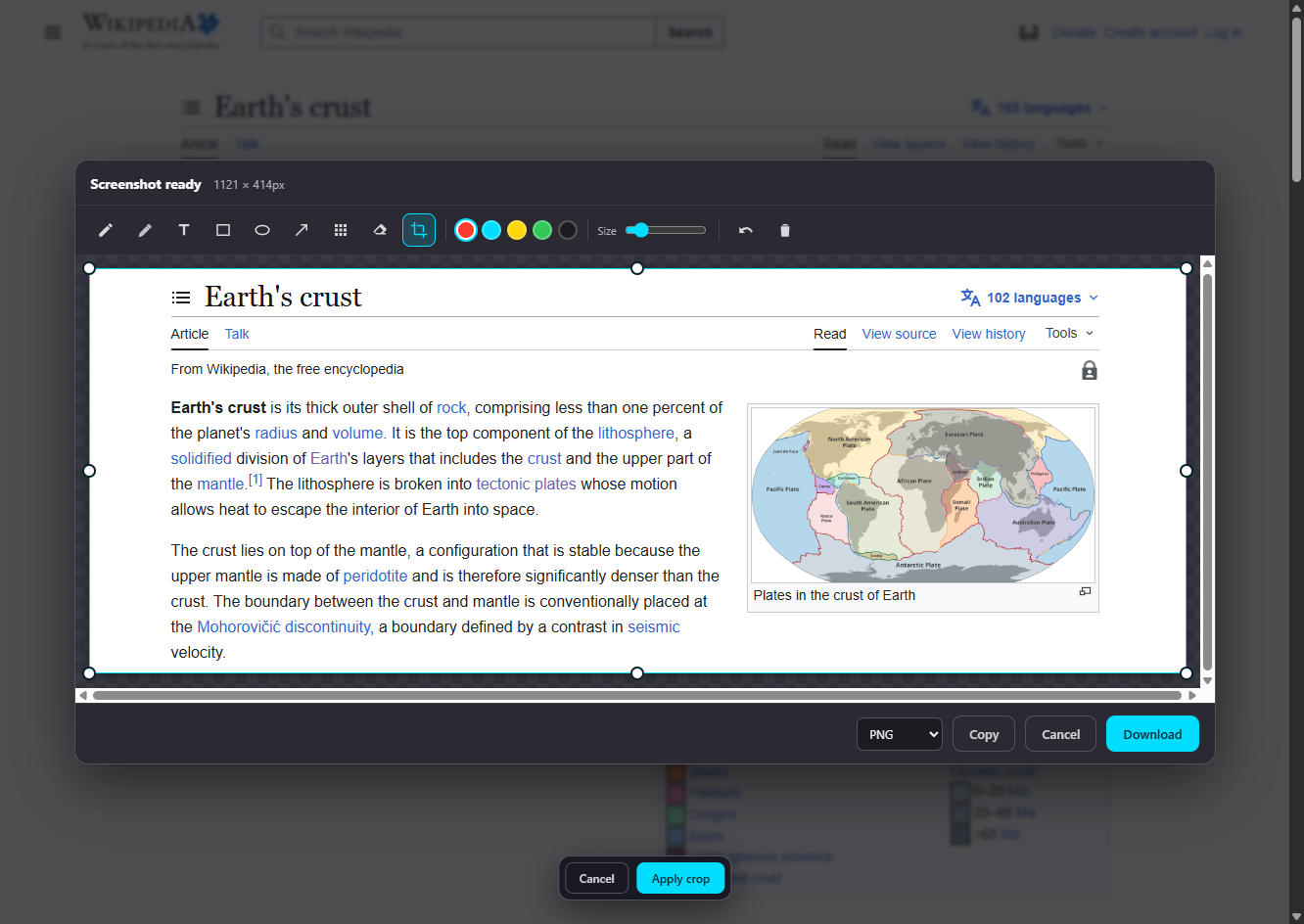
FullPageSnap editor showing a captured Wikipedia page with the annotation toolbar and crop handles
100%
Captured and edited locally
4 modes
Full, visible, region, element
$9.99
One-time Pro, no subscription
14 days
Money-back guarantee
See it in action

Every capture mode, the editor, blur, and PDF export

A quick tour of how FullPageSnap captures and ships a screenshot.

Watch this demo on YouTube ↗

Features

Everything you need to capture and share

Free for everyone. The core is fully usable with no watermark.

Full page in one click

Auto-scrolls and stitches the entire page, even content below the fold.

Region & element

Drag a box or click an element. Fine-tune the area with live crop handles.

Built-in editor

Pen, highlighter, text, shapes, arrows, and a crop tool, all on-canvas.

True redaction

Blur emails, passwords, or faces with real pixelation that cannot be reversed.

Hide elements first

Click away cookie banners, ads, or pop-ups to clean the page before you capture.

Color picker

Sample any pixel on the page with a magnifier loupe and copy it as HEX, RGB, or HSL.

Save your way

Download as PNG or JPEG at maximum quality, or copy straight to your clipboard.

Private by design

Everything is processed in your browser. No uploads, no analytics, no ads.

Free vs Pro

A generous free tool, one optional upgrade

Everything below the line is the only thing locked behind FullPageSnap Pro.

FeatureFreePro
Full, visible, region & element capture
Built-in editorpen, highlighter, text, shapes, arrows
Blur / redact and crop tools
Export PNG & JPEG at maximum quality
Hide elements before captureclick away cookie banners, ads, or pop-ups to clean the page first
Color picker (eyedropper)sample any pixel and copy it as HEX, RGB, or HSL
Copy to clipboard, 100% local, no watermark
Capture scrollable elementsCapture everything inside a scrolling box, like a chat thread, a popup, a modal dialog, or a code panel, not just the part that fits on screen.
Capture delay (2s / 5s)Add a 2 or 5 second timer before the shot, so you can open a dropdown, hover menu, or tooltip and freeze it in the capture.
Export as PDFSave a long capture as a clean, multi-page PDF that prints and shares like a proper document, not one giant image.
Pricing

Simple pricing

One free tool. One optional upgrade. No subscription.

Free

$0 forever
  • Full page, visible, region & element capture
  • Editor: pen, highlighter, text, shapes, arrow
  • Blur / redact and crop tools
  • Export PNG & JPEG at maximum quality
  • Copy to clipboard, 100% local, no watermark
Add to Chrome
PRO · LIFETIME

Pro

$9.99 one-time
  • Everything in Free
  • Capture scrollable elements (modals, popups, chat panels)
  • Capture delay (2s / 5s) for menus & hover states
  • Export as PDF (multi-page, print-ready)
Get FullPageSnap Pro

Secure checkout by Lemon Squeezy · 14-day money-back guarantee · pay once, yours forever

Activate

Activate Pro in 30 seconds

No account needed. Your license lives on your device.

1

Buy once

Check out securely with Lemon Squeezy. You get a license key by email instantly.

2

Open settings

Right-click the FullPageSnap icon and choose Options, or use the Upgrade button in the popup.

3

Paste & unlock

Paste your key and click Activate. Pro features turn on right away.

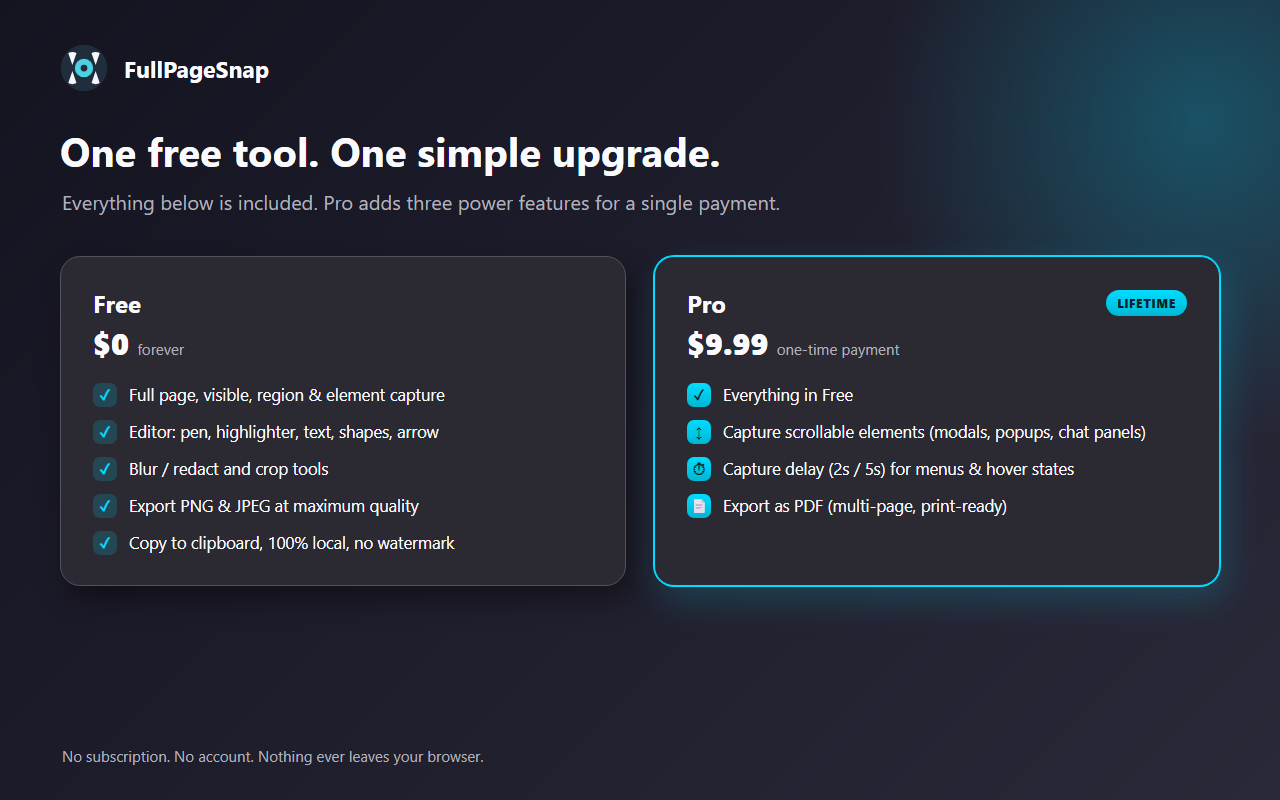
FullPageSnap Free versus Pro comparison
FAQ

Frequently asked questions

Everything you might want to know before you upgrade.

Is it really a one-time payment?

Yes. FullPageSnap Pro is $9.99 once, not a subscription. There are no recurring charges. Pay once, it is yours forever.

How many devices can I use one license on?

Up to 2 devices per license key. You can activate or deactivate a device anytime from the extension's Options page, so moving to a new computer is easy.

Can I get a refund?

Yes. We offer a 14-day money-back guarantee, no questions asked. Refunds are handled by Lemon Squeezy. See our Refund Policy.

Is my data private?

Everything is processed locally in your browser. Your screenshots and the pages you capture never leave your device. No uploads, no analytics, no ads. The only network request is verifying your license key with Lemon Squeezy.

Which browsers are supported?

Chrome and Chromium-based browsers such as Microsoft Edge and Brave, on Manifest V3. The extension installs from the Chrome Web Store.

Who sells FullPageSnap?

FullPageSnap is built by Agatis Group. Payments are processed by Lemon Squeezy, which acts as our Merchant of Record and handles billing and applicable tax.

Start capturing in seconds

Add FullPageSnap free, and upgrade to Pro whenever you need scrollable capture, capture delay, or PDF export. Pay once, yours forever.